DitherForge — Dithered Gradients for Aseprite
A downloadable tool
Hand-placing dither dots is meditative for about ninety seconds. Then it is just work.
DitherForge fills your selection with an ordered-dither gradient between any two colours — and because it is ordered dithering rather than error diffusion, it tiles cleanly, stays deterministic, and never smears when you edit next to it.
Controls that matter
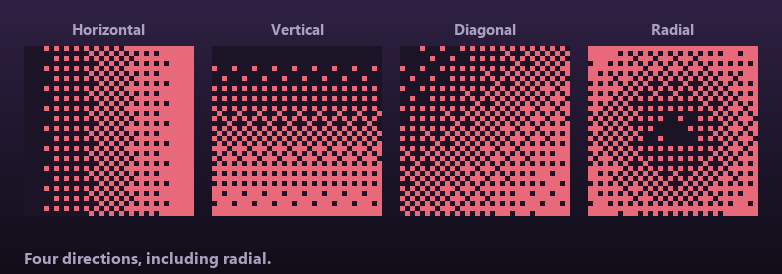
- 4 directions — horizontal, vertical, diagonal, radial
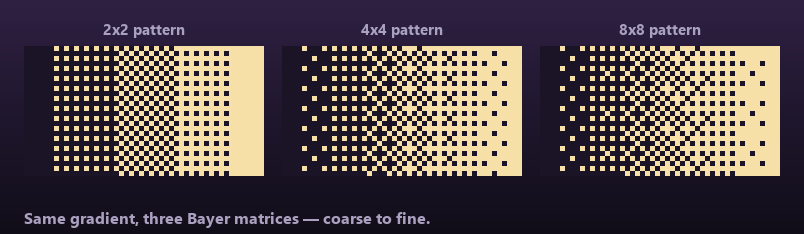
- 3 Bayer patterns — 2×2 chunky, 4×4 the classic, 8×8 fine
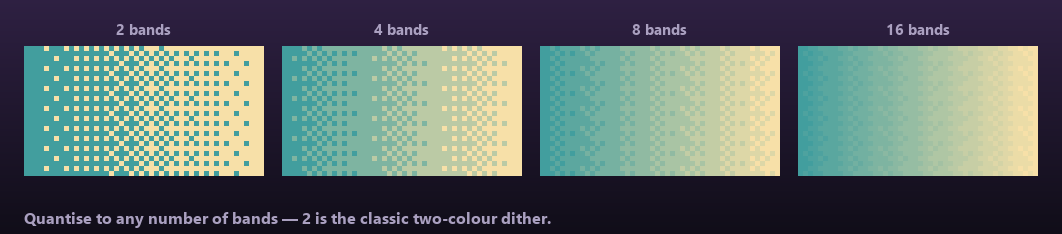
- 2–16 bands — 2 gives the classic two-colour dither; raise it to quantise a smooth ramp into a clean, limited set of shades
- Bias — slide the midpoint without changing the endpoints or direction
- Honours your selection, including non-rectangular ones — the marquee is the shape, not just a bounding box
- Outputs to a new layer by default, so nothing you already drew is at risk. One undo.
Tested against real Aseprite
The maths core has a headless suite covering every Bayer matrix (each verified to be a full rank permutation), threshold bounds, all four ramp directions, monotonicity under bias, band quantisation, and the degenerate cases — 1-pixel-wide regions, single-step ramps. An end-to-end test then runs real Aseprite and asserts the produced gradient is genuinely a gradient: pure at both ends, dithered in the middle, monotonically increasing across the region, and correctly clipped to a selection.
Install
Double-click the .aseprite-extension file, or Edit → Preferences → Extensions → Add. Requires Aseprite 1.3+.
Transparency: DitherForge’s code is AI-assisted, disclosed via itch’s AI tagging. It generates no imagery — it places dots between two colours you picked.
Purchase
In order to download this tool you must purchase it at or above the minimum price of $2.99 USD. You will get access to the following files:
Development log
- Why DitherForge refuses to do Floyd–Steinberg52 days ago
Leave a comment
Log in with itch.io to leave a comment.